Displays (No Touch)
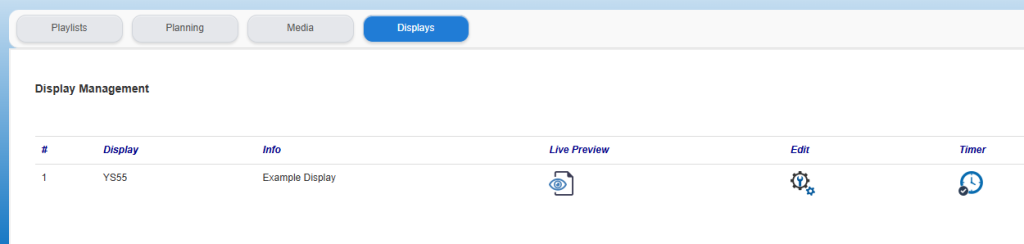
When using standard displays (no touch), the Displays tab is available to gain insight info which displays and with which Display ID are in use. In addition, the time schedule for switching on/off (switched to black) can be set via this tab and you can call up a preview of the current display on your screen.
Live Preview:
By clicking on the Live Preview icon  it is possible to get an indication of the current display on the screen in question. Please note that this concerns the display as it is currently planned for the display in question. On your own PC this may be displayed distorted due to a different screen format, screen orientation or similar. The Live Preview is only intended as an indication of what is currently playing on the display.
Setup:
Clicking on the Edit icon  will display the basic settings of the display. No settings can be changed by the end user here.
Time schedule display:
To create the time schedule, click on the icon for Time  . For details on setting the switching times, see the article Time Schedule Display.