Profile Management
Within the portal it is of course possible to edit your own account details.
To do this, click on the name of the logged in account at the top right of the portal.
The screen with the Profile details of the relevant account will open:
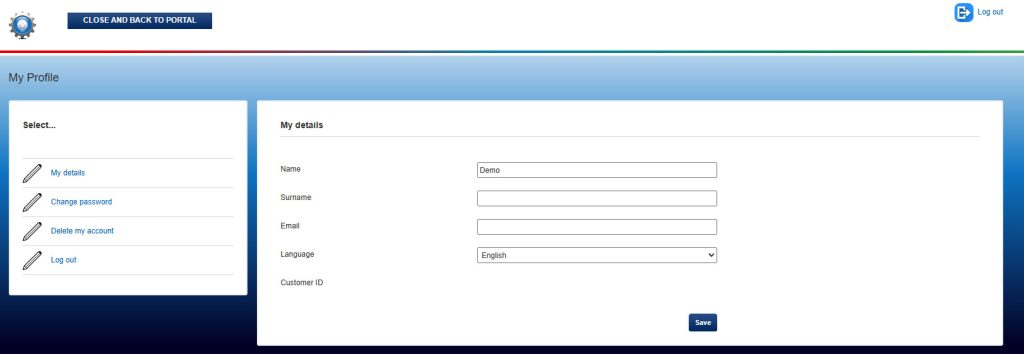
On the left side of the screen there are four separate tabs available, consisting of:
- My Details
- Shows account name, email address and Customer ID
- If desired, the language selection of the portal can be changed from English to Dutch or vice versa.
- Change Password
- To change the password of the account.
- Delete My Account
- According to the GDPR rules the account with all saved data can be completely deleted here.
- Logout
- Logout from Setdisplay and leave the portal. (corresponding to the button at the richt top "Logout").
To exit this screen and return to the central dashboard, click the “CLOSE AND BACK TO PORTAL” button at the left top of the screen.